Graphic Design Agent Helper.
A trained designer’s eye, installed in Claude. Hand it a graphic and your brand kit. It tells you what’s wrong, rebuilds it, and checks its own work before you ever see it.
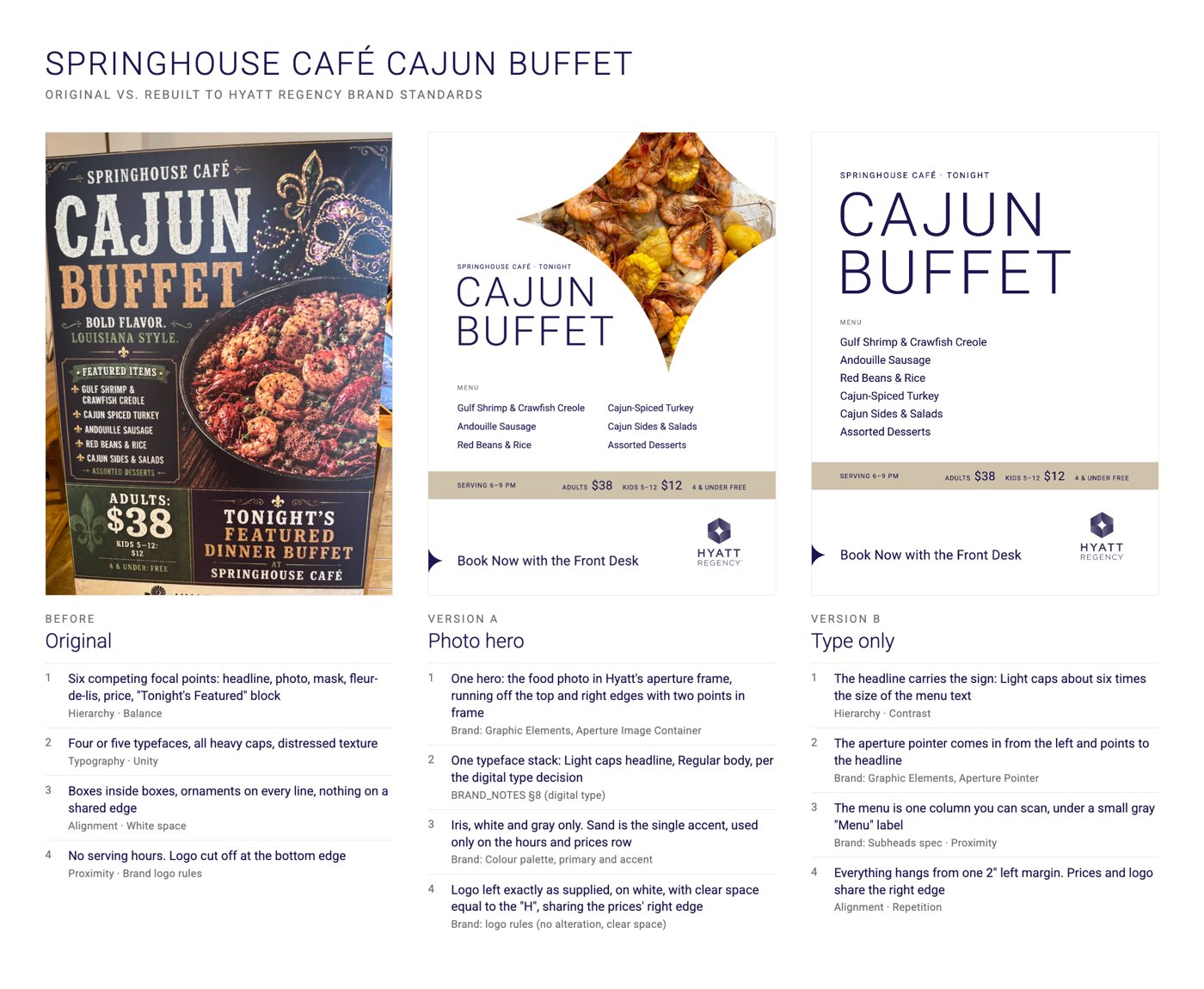
AI doesn’t have eyes. This agent checks.
AI can make a graphic in seconds. It can’t see what it made. So you get six things shouting at once, five typefaces, and no call to action. This agent is built from my graphic design training and my own teardowns. It runs every graphic through the checks a designer would, and it fixes what fails.
Critique
Paste in any graphic. Get every problem named, the principle it breaks, and the fix.
Rebuild
Hand it the graphic, the copy and your brand kit. Get two clean versions, ready for print or post.
Learn
Correct it once. It turns your note into a rule and follows it from then on.
What’s inside.
- 01The viewer test
Five questions a passer-by has to answer in three seconds: what is it, when or where, how much, why me, and what do I do next. Most AI graphics fail the last one. - 02The 8 principles, measured
Balance, color, hierarchy, alignment, repetition, proximity, white space and typography, turned into checks with numbers. Gaps between groups at least 1.5 times the gaps inside them. Two typefaces, maximum. Text contrast of 4.5:1 or better. - 03A brand-kit reader
Give it your brand guide, logo and fonts. It writes up your brand rules and flags anything the guide doesn't cover, instead of guessing. - 04A render, measure, fix loop
It builds the graphic, looks at the result, measures every gap and edge, and fixes what it finds. Two or three passes before you see anything. - 05An automatic audit
A pass/fail check on spacing, edges, contrast and logo clear space. Nothing gets handed over until every check passes. - 06The slop tells list
Every tell from my real teardowns, from competing focal points to distressed textures and filler taglines. It checks your graphic against all of them. - 07It learns your taste
Every time you correct it, it logs the fix and proposes a new rule. You approve it, and it never makes that mistake again. - 08Print-ready hand-off
Two versions of every piece, PNG and print PDF with bleed, plus a list of every placeholder and every place it broke a brand rule, and why.
It stays in its lane: graphic design only. It won’t write your ad strategy or pick your campaign. It makes sure what you post is designed well.
Before. After.
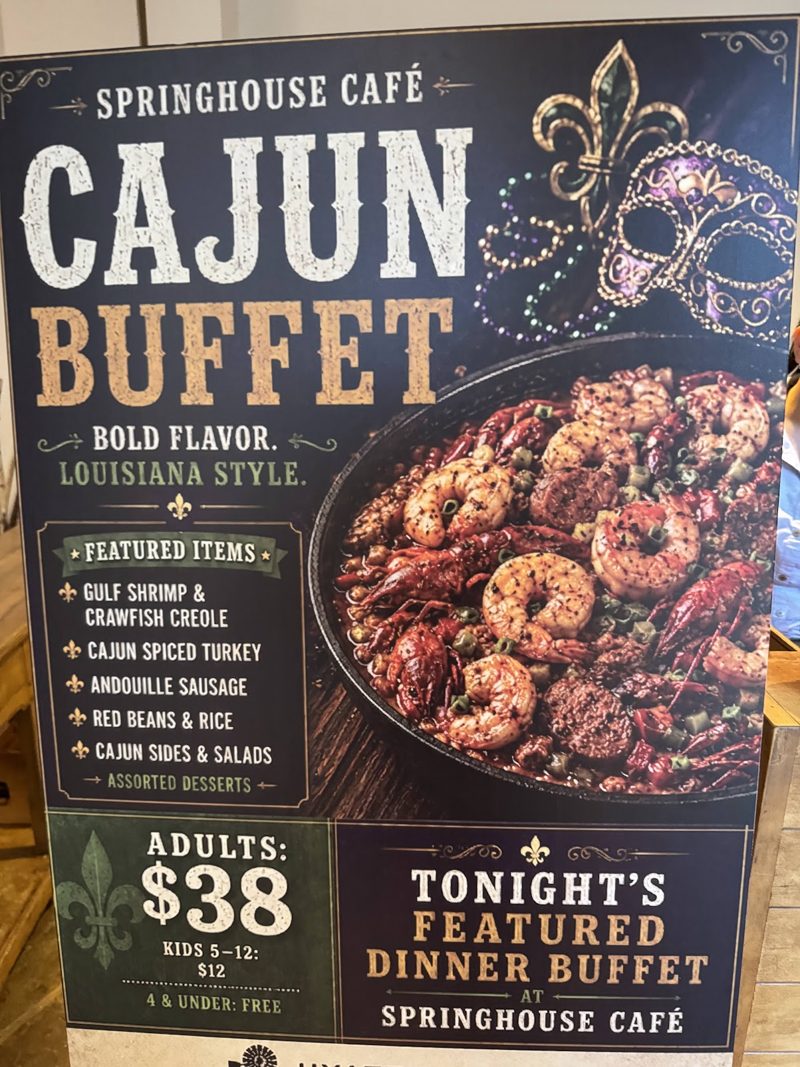
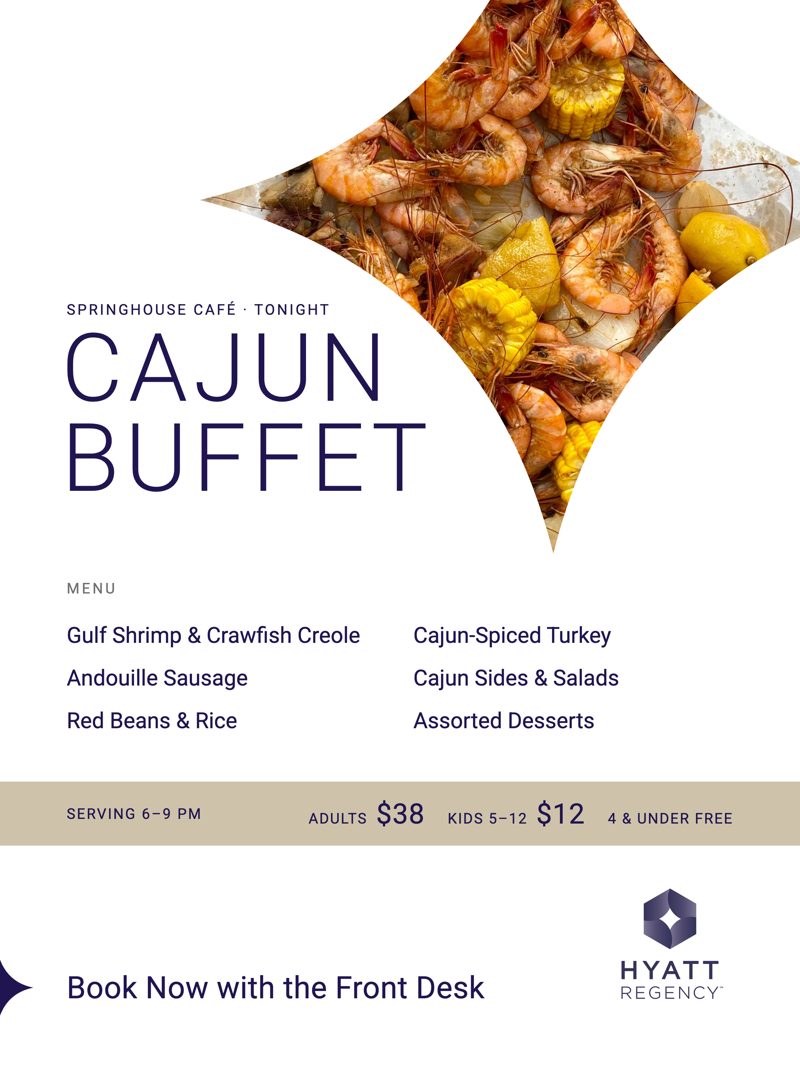
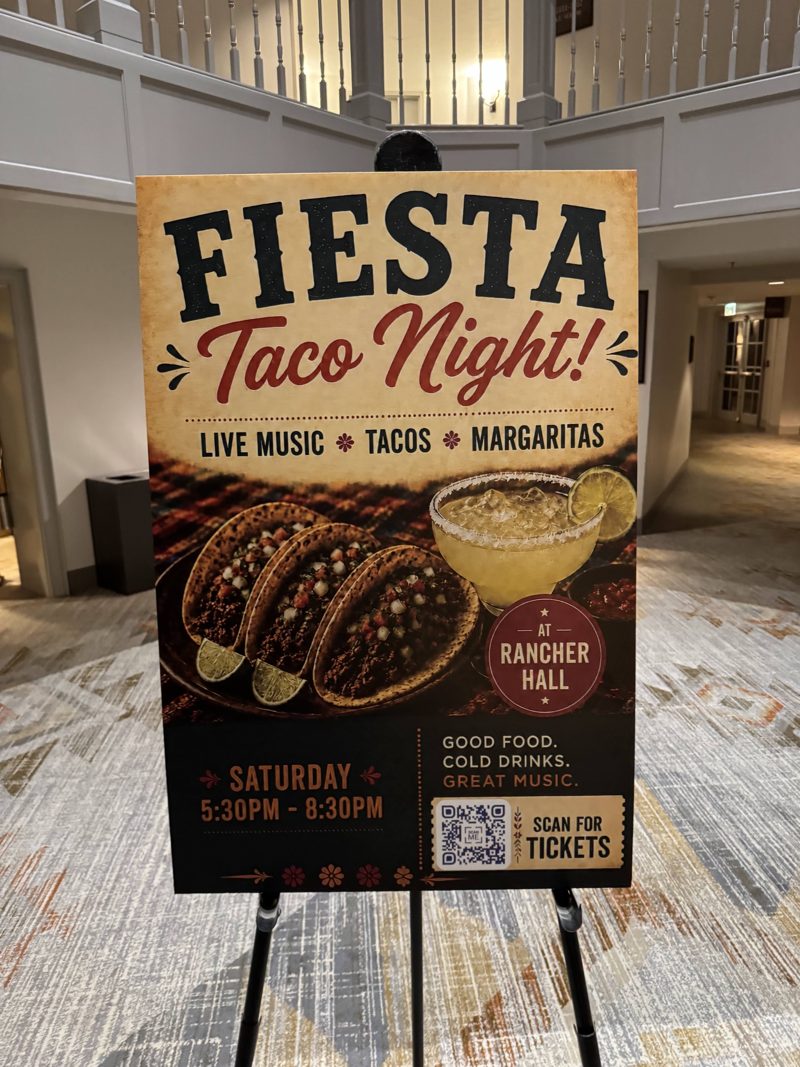
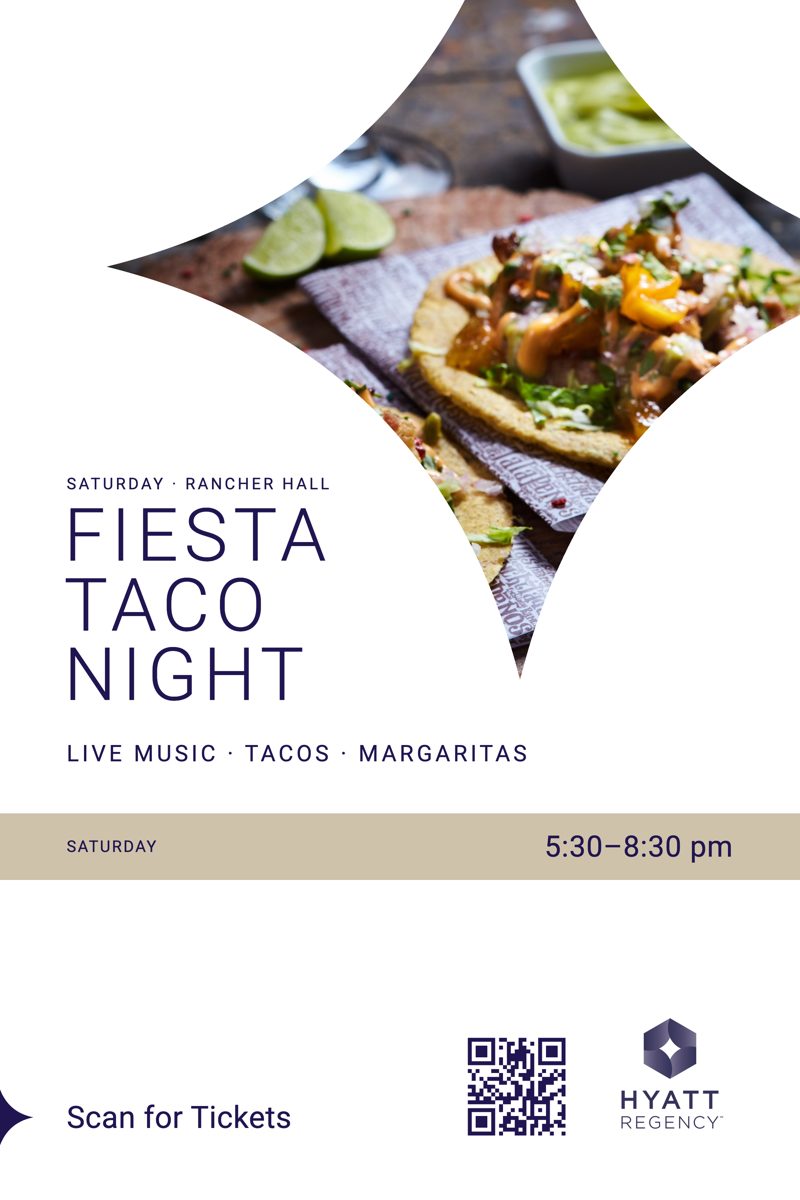
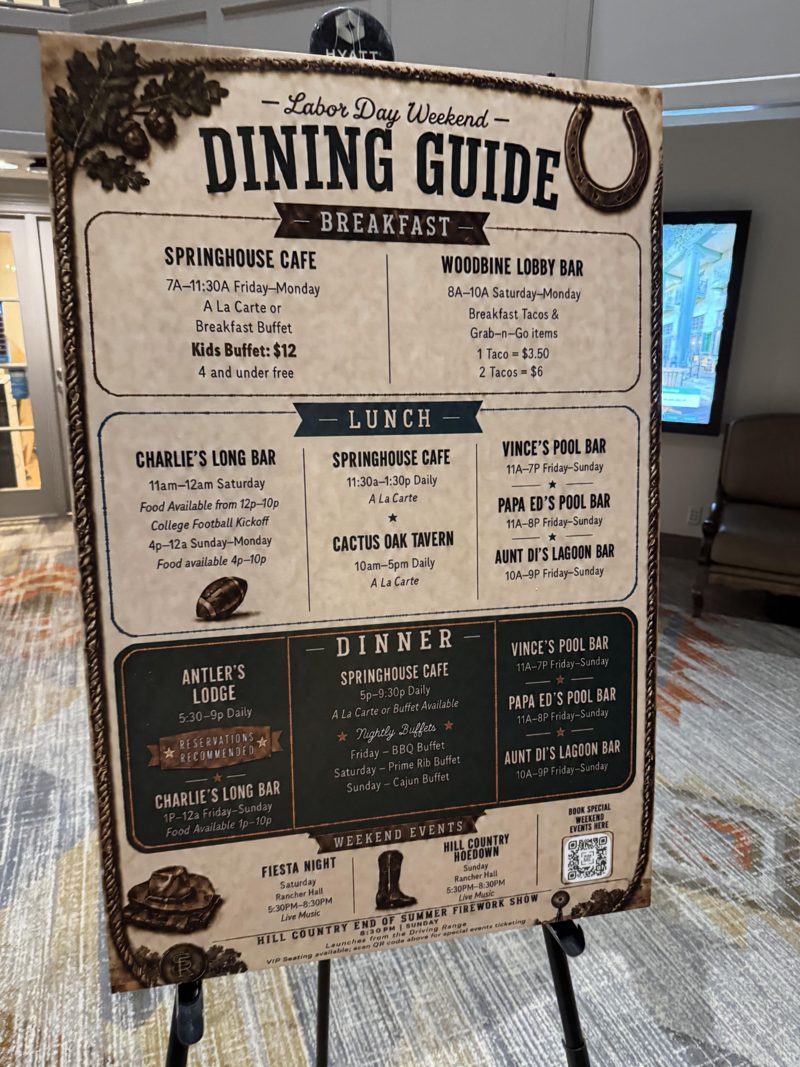
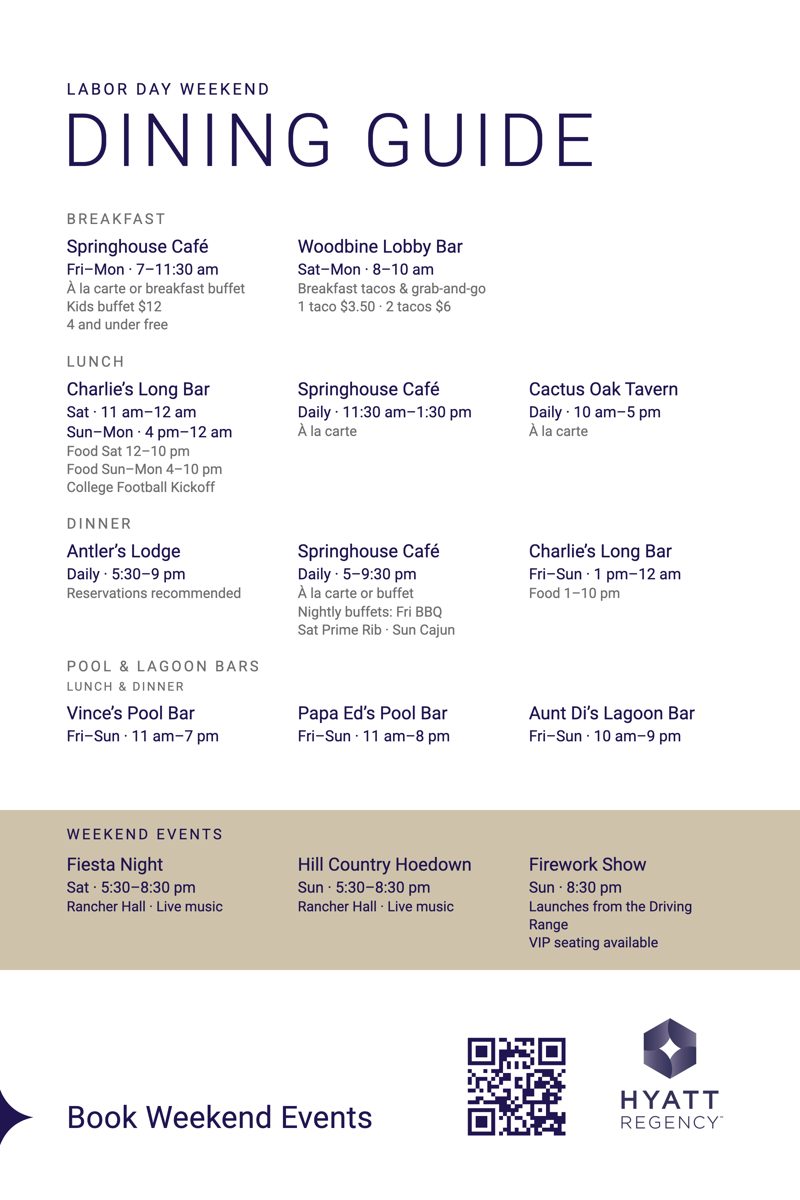
Real AI-made signs I photographed, next to the agent’s rebuilds. The rebuilds are unsolicited concepts, not commissioned by the venue.
Who it’s for.
- ✦Brand owners making their own graphics in Canva or with AI, and not loving the results
- ✦Small teams with no designer on staff
- ✦Hotels, restaurants and venues with a brand guide nobody follows on the signage
- ✦Marketers who approve creative and want to say exactly what's wrong with it
- ✦Designers who want a second pair of eyes before anything goes to print
What you’ll need.
Claude Pro or Max
The agent runs in Claude Code.
Claude Code
Free with your Claude plan.
Node.js
Free. It runs the audit.
Your brand kit
Logo, colors, fonts and a guide if you have one. No guide? It helps you write simple brand notes.
About 20 minutes
To install and add your brand.
After you buy.
- 01Get instant access
The agent files and a short setup video. - 02Install it
Copy it into Claude Code. About 20 minutes, start to finish. - 03Add your brand
Drop in your logo, colors, fonts and brand guide. - 04Hand it your first graphic
An AI-made ad, a sign, a social post. Ask for a critique or a full rebuild. - 05Correct it
Tell it what you'd change. It fixes it, and it learns.
Questions.
Do I need to know design?
No. It explains every problem in plain words, names the principle it breaks, and fixes it. You'll pick up the principles just by reading its notes.
Does it generate images?
No. It designs the layout around your photos and your words. It can tell you when a photo is weak, but it can't take a better one.
Is this a creative director agent?
No. A creative director decides what to make. This agent makes sure what you made is designed well: layout, type, color, spacing and brand. It stays in that lane.
Can I use it with Canva?
Yes. Use it to critique anything you made in Canva, or have it build the design and recreate it in Canva from its notes.
Is it a one-time purchase?
Yes. Buy it once and it's yours, including every correction it learns from you.
Join the
waitlist.
free · no spam · unsubscribe anytime